Home / Programmes / Power BI Training in Dubai for Business Users
Power BI Training in Dubai for Business Users
Power BI Training in Dubai for managers, analysts and reporting staff who want live dashboards instead of monthly spreadsheet marathons. Participants connect their own data, build a clean model, write first DAX measures and publish a report colleagues can trust.
- Built on your own business data
- No coding background needed
- Certificate for every participant
- Rated 4.9/5 by 200,000+ professionals
- Certificate for every participant

Why business teams learn Power BI with us
Business users first
The course is designed for people in sales, finance, operations and HR, not developers. We explain modelling and DAX in plain language with business examples.
Your data in the room
Participants work with anonymised extracts from your ERP, CRM or Excel reports, so the dashboard they finish is close to one they can actually publish.
Model before visuals
Most poor dashboards fail because of a weak data model. We spend real time on relationships and tables before anyone picks a chart.
Sharing done safely
We cover workspaces, apps and row level security so the right people see the right numbers and nothing confidential leaks.
Certificate on completion
Each participant who completes the course receives a certificate of completion from TrainingInUAE.com listing the Power BI skills practised.
Impact we can measure
Together we pick a yardstick, for example hours lost to the monthly report, and revisit it at 90 days.

Power BI Training in Dubai where you build as you learn
Power BI makes sense the moment someone sees their own numbers move when they click a slicer. Until then it is just another tool on a slide. So every concept is introduced briefly and then practised immediately on participants’ own data.
Share a dataset
Before the course, each team sends a sample extract with confidential values removed, so the labs use realistic structures and field names.
Short demonstration
The trainer shows one step, such as shaping data in Power Query or creating a relationship, and explains why it matters for accuracy.
Build on your data
Participants repeat the step with their own dataset straight away, and the trainer checks each model as it grows.
Test the numbers
Report totals are compared against a trusted source such as the finance system, so participants learn to prove a dashboard before sharing it.
Publish and share
Finished reports are published to a practice workspace where colleagues view them in the browser or on the mobile app.
Review at 90 days
We check how many reports moved into Power BI and how much time they save compared with the old spreadsheet process.

Close to 80% of the session is spent in Power BI Desktop and the Power BI service. The trainer demonstrates each step, then participants repeat it on their own dataset while the trainer reviews models and measures.
- Laptops open from the first 15 minutes
- Your own documents, data and tasks
- A finished output from every lab
- Prompt library to keep using on Monday
What our Power BI Training in Dubai covers
Eight modules take business users from raw data to a shared, trusted dashboard. Beginner groups spend longer on the early modules, while experienced Excel users move faster towards DAX and sharing.
Module 1. Power BI basics and the workflow
How Power BI Desktop, the Power BI service and the mobile app fit together, what each licence type allows and how a report moves from a file to colleagues.
🛠 Participants practise: Open a sample report and trace each visual back to its data
Module 2. Getting data in
Connecting to Excel files, CSV exports, SharePoint folders and databases, and choosing between import and live connections for business reporting.
🛠 Participants practise: Connect two of your own data sources into one file
Module 3. Cleaning data with Power Query
Removing errors, splitting columns, fixing dates, merging and appending tables, and building refreshable steps instead of manual clean up every month.
🛠 Participants practise: Clean and combine a messy monthly export
Module 4. Data modelling and relationships
Fact and dimension tables, a star schema in plain terms, relationship direction and a proper date table, so totals stay correct as filters change.
🛠 Participants practise: Design a simple star schema for your dataset
Module 5. DAX basics for business users
Calculated columns versus measures, SUM, CALCULATE, simple filters and time intelligence such as month to date and year on year comparisons.
🛠 Participants practise: Write measures for sales, margin and growth versus last year
Module 6. Designing clear dashboards
Picking visuals that answer business questions, using slicers and drill through, keeping layouts uncluttered and designing pages that work on a phone.
🛠 Participants practise: Build a one page management dashboard from your model
Module 7. Sharing, security and refresh
Publishing to workspaces, sharing through apps, setting scheduled refresh and applying row level security so each region or manager sees only their own data.
🛠 Participants practise: Publish a report and restrict it by region or department
Module 8. Copilot in Power BI and next steps
Where your licence and capacity include it, using Copilot to suggest report pages, summarise visuals and draft DAX, then planning which reports to move next.
🛠 Participants practise: Capstone: rebuild one recurring report you own and time the saving
Shaped around your data and licences
A sales team reporting from a CRM and a finance team pulling from an ERP need different models. We look at your data sources, licences and reporting needs before designing the course.
Data and licence check
A short call to understand your data sources, Microsoft 365 setup, Power BI licences and the reports managers ask for most often.
Labs from your extracts
Anonymised samples of your own data become the practice files, with field names and structures kept so the learning transfers directly.
Level and language
We pitch the course for beginners or experienced Excel users and deliver it in English, Arabic or bilingually.

Built for every level
Report consumers
Managers who need to read, filter and question dashboards confidently, and ask for the right analysis.
New report builders
Staff moving from Excel reports to Power BI, learning data import, cleaning, modelling and first dashboards.
Business analysts
Deeper DAX, time intelligence, performance tips and designing reports used by many people.
Report owners and admins
Workspaces, apps, refresh schedules and row level security for those who manage shared reporting.

Certificates for every participant
Each participant who completes the course receives a certificate of completion from TrainingInUAE.com naming the course and the Power BI skills practised. This evidences corporate learning. It is not a KHDA qualification and not a Microsoft certification exam.
- Issued to every participant who completes the hands on labs
- Shows the programme name, hours, tools covered and date
- Digital PDF, ready to add to LinkedIn and HR records
- Attendance and lab completion report for HR or L&D, on request

Teams that use Power BI with us
Power BI suits any team that reports the same numbers every week or month. We build labs around the questions each type of team needs its dashboards to answer.
Finance and FP&A
Budget versus actual, cash and profitability dashboards that refresh from the ledger instead of being rebuilt each month.
Sales and distribution
Pipeline, sales by territory and customer profitability for trading and FMCG companies with many outlets.
Logistics and supply chain
Shipment volumes, delivery performance and stock levels combined from several systems into one view.
Real estate and facilities
Occupancy, collections and maintenance dashboards for property portfolios across several communities.
HR and workforce
Headcount, turnover, Emiratisation tracking and training records presented clearly for leadership.
Hospitality and retail
Daily sales, footfall and outlet comparisons that managers can check on their phones each morning.
Teams our trainers have worked with
















Plus 400+ enterprise clients across 16+ countries.
Trainers who have built reporting for real businesses
Our trainers are senior practitioners who have designed reporting for managers and boards in the Gulf. They explain data concepts patiently and focus on reports people will actually use.

Leadership and management faculty
For managers, senior leaders and leadership offsites
- Senior people who have run teams and led change
- Drawn from a visiting faculty network across 9 IIMs
- Coaching, decision making and difficult conversations
- English, Arabic or bilingual delivery
Sales and customer trainers
For sales, account and service teams
- Practitioners who have closed deals and run sales teams
- Role plays built on your real deals and customers
- Discovery, objection handling and negotiation
- B2B, retail and hospitality experience
AI and digital trainers
For AI adoption and productivity programmes
- 17+ years in AI and corporate training
- Have trained 200,000+ professionals in 16+ countries
- Copilot, ChatGPT, Claude and Gemini on real work
- Part of a pool of around 300 trainers worldwide
Why business intelligence skills matter in the UAE
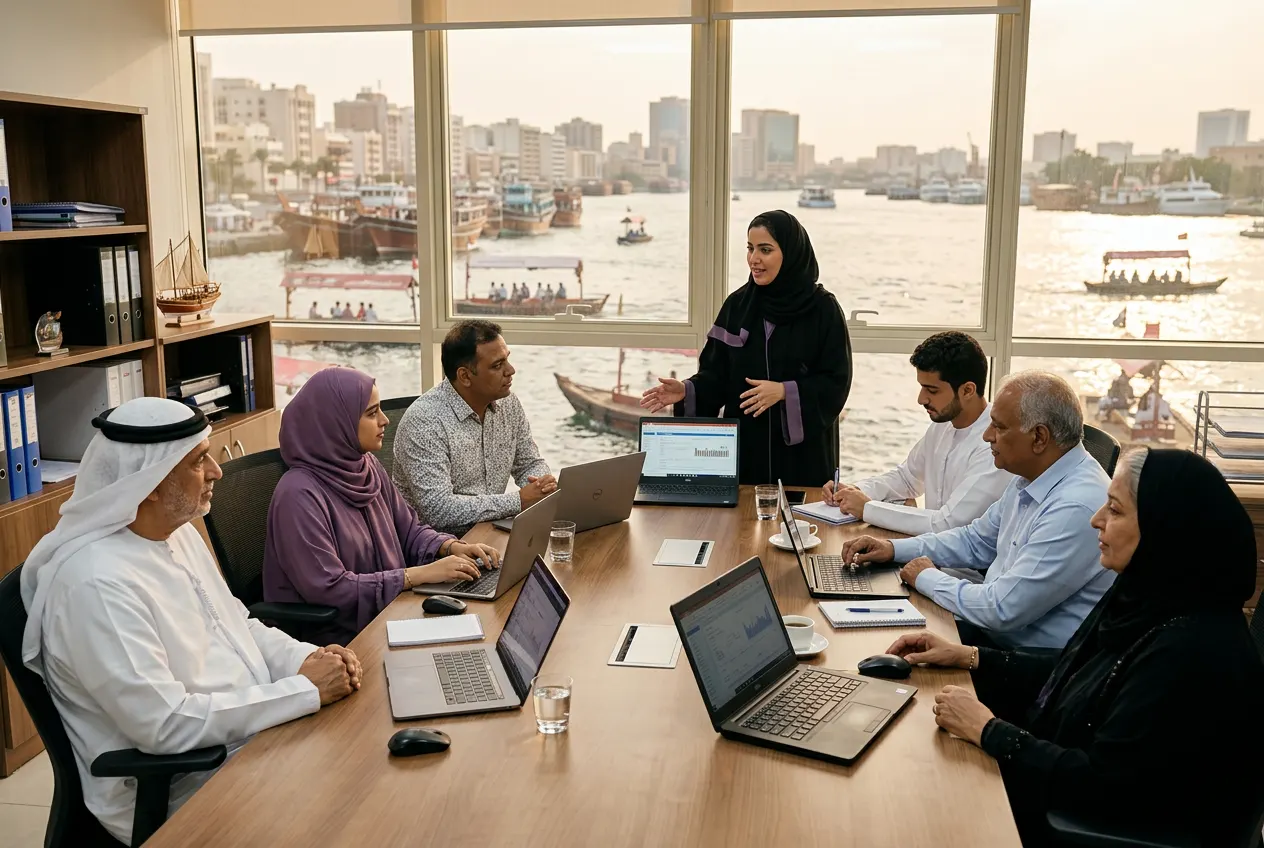
Data sits at the heart of the country’s economic plans. The UAE’s national AI and digital strategies push organisations to make decisions from data rather than instinct, and Microsoft has operated cloud data centre regions in Dubai and Abu Dhabi since 2019, which many local companies now rely on for Microsoft 365 and analytics.
Yet in many offices the monthly report is still a long manual exercise. Power BI Training in Dubai helps business users replace that routine with dashboards that refresh themselves, while respecting the UAE PDPL when reports include customer or employee data. We deliver the course on site in Dubai and every other emirate, or live online for teams across the UAE and GCC.
Course formats
Half day dashboard briefing
For managers who read reports, covering filters, drill through and how to ask for better analysis.
One day introduction
Data import, cleaning, a simple model and a first dashboard built on participants' own data.
Two day course
The full business user programme, adding DAX, design, sharing and row level security.
Weekly series
Shorter sessions over several weeks, ideal when teams want to build a live report between classes.
Live online classes
Virtual classrooms where the trainer can see each screen, useful for distributed or GCC based teams.
Power BI Training in Dubai: frequently asked questions
Do participants need to know Excel before learning Power BI?
Basic Excel helps but is not essential. Participants who already use PivotTables and lookups usually move faster through modelling and DAX. Complete beginners can follow the course too, and we place them in a group that spends longer on data cleaning and the core concepts before moving to dashboards.
Which Power BI licence do we need?
Power BI Desktop is free to install, so the building part of the course needs no paid licence. Sharing reports with colleagues usually requires Power BI Pro or Premium Per User licences, or a capacity based subscription. We review your current Microsoft setup before the course and explain what each option allows.
Is this a Microsoft certification course?
No. Participants receive a certificate of completion from TrainingInUAE.com listing the skills practised. It is practical corporate training for business users, not a Microsoft certification exam or exam preparation. People who later decide to pursue a Microsoft data analyst certification will have a solid practical base, but that is not the goal.
How much DAX does the course cover?
Enough for business users to work independently. We cover the difference between calculated columns and measures, CALCULATE with simple filters and common time intelligence such as year to date and comparisons with last year. Advanced DAX is offered as a separate session for analysts who need it.
Can we use our own company data?
Yes, and we recommend it. Send anonymised extracts before the course with confidential values removed or masked. Working on familiar data makes the concepts easier to understand, and participants often leave with a dashboard that is close to ready for their manager.
Do you deliver Power BI training at our office?
Yes. Our trainers come to your office in Dubai, anywhere else in the UAE, or live online. Participants need a Windows laptop with Power BI Desktop installed, since the desktop app does not run natively on Mac. Hands on groups have no more than 20 people per trainer.
Is Arabic delivery available for Power BI?
Yes. We teach in English, Arabic or bilingually. Power BI menus are usually in English in most UAE companies, so we explain concepts in Arabic where helpful while keeping the interface terms familiar. We can also show how to handle Arabic text in reports.
Is Copilot in Power BI included?
It is covered as one module where your licence and capacity support it. Copilot can suggest report pages, summarise visuals and help draft DAX, but its suggestions still need checking against the data. Where Copilot is not available, we use that time for extra modelling and design practice.
Turn your monthly reports into live dashboards
Keep exploring
Related programmes
The UAE’s one stop shop for corporate training. Hands on workshops delivered across Dubai and all seven emirates. Licensed UAE company registered in Ajman, with a delivery team based in Dubai.
- AI Agents and Automation Training: Build Working Workflows
- ChatGPT Training for Everyday Business Work
- Claude AI Training for Document Heavy Teams
- Microsoft Copilot Training for Microsoft 365 Users
- Prompt Engineering Training Across Every Major AI Tool
- Business Writing Training
- Communication Skills Training
- Presentation Skills Training
- All programmes
© 2026 TrainingInUAE.com. All rights reserved.